

Best Glasses for Computer Use: Features That Actually Matter
Quick answer
Computer glasses for optimal screen use require three essential features: blue light filtering that specifically targets 415-455nm wavelengths, anti-reflective coating to eliminate glare, and proper prescription adjustments for your typical screen distance of 60-70cm. Blue light coatings should filter the peak emission range of digital screens while preserving beneficial blue light for circadian rhythm regulation, with anti-reflective coating being non-negotiable to prevent eye muscles from constantly refocusing due to light reflections.
Frame selection significantly impacts comfort during extended use. Choose frames with at least 32mm vertical lens height for progressive computer lenses, proper bridge fit to maintain natural blink patterns, and lightweight materials like titanium or memory metal for all-day wear. For prescriptions, consider a +0.25 to +0.75 diopter addition for presbyopic eyes, and ensure even minor astigmatism of 0.50 diopters or higher is corrected, as uncorrected astigmatism causes substantial eye strain during prolonged screen viewing.
Computer eye strain affects many office workers, yet most people choose glasses based on outdated advice. The right computer glasses combine specific lens technologies, proper fit, and frame materials that reduce fatigue during long screen sessions.
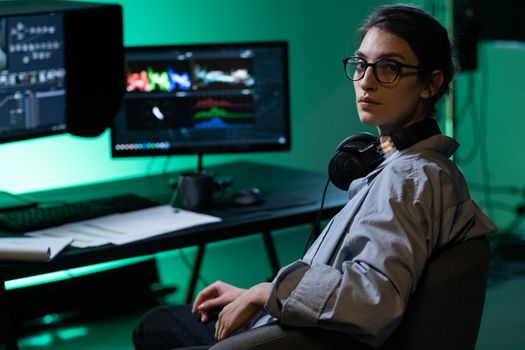
Photo by Ron Lach / Pexels
Essential Lens Technologies for Computer Work
Blue light blocking lenses filter 15-50% of high-energy visible light between 400-490 nanometers. However, the percentage matters less than the specific wavelengths filtered. Premium blue light coatings target the 415-455nm range where digital screens emit peak blue light, while preserving beneficial blue light that regulates circadian rhythms.
Anti-reflective coating reduces screen glare, eliminating reflections from overhead lighting and windows. This coating is non-negotiable for computer glasses, as it prevents the eye muscles from constantly refocusing when light bounces off lens surfaces.
Progressive lenses with computer-optimized designs place the intermediate zone (50-80cm) in the upper portion of the lens, unlike standard progressives. This reduces neck strain for professionals in Zurich's financial district or Geneva's tech sector who spend 8+ hours viewing multiple monitors.
Lens Index Considerations
Higher prescriptions benefit from 1.61 or 1.67 index lenses to reduce thickness and weight. Computer glasses endure 40+ hours weekly wear, making comfort crucial. Standard 1.56 index works for prescriptions under ±3.00 diopters, while 1.74 index suits prescriptions above ±6.00 diopters.
Shop the frames in this guide


Frame Design Features That Reduce Eye Strain
Lens height directly impacts computer viewing comfort. Frames with 32mm+ vertical lens height provide adequate space for progressive computer lenses, while single vision users can opt for smaller heights. Deep frames prevent peripheral light from entering around the lenses.
Bridge fit affects tear film distribution. Ill-fitting bridges cause glasses to slide, forcing users to tilt their heads and disrupting natural blink patterns. This leads to dry eyes during extended computer sessions—a common complaint among Basel's pharmaceutical researchers and Lausanne's university faculty.
Lightweight materials become essential for all-day wear:
- Titanium frames: 40% lighter than steel, hypoallergenic, and maintain shape under stress
- Memory metal: Returns to original shape after bending, ideal for active computer users
- Acetate: Comfortable for wide faces, accepts thick lenses well
- Rimless designs: Minimal weight, maximum field of view
Proper Fit Measurements
Temple length affects weight distribution. Computer glasses need 140-145mm temples for most adults, ensuring even pressure across the ears. Adjustable nose pads allow fine-tuning throughout the day as facial swelling changes.
Prescription Considerations Beyond Basic Vision Correction
Computer prescriptions often differ from distance prescriptions. A +0.25 to +0.75 diopter addition helps presbyopic eyes (typically 40+) focus on screens 60-70cm away without accommodation strain. This may help with the headaches common among experienced professionals transitioning to presbyopia.
Astigmatism correction becomes more critical for computer work. Uncorrected astigmatism as low as 0.50 diopters causes significant eye strain during prolonged screen viewing, as the eye continuously attempts to compensate for blurred text edges.
Pro tip: Request a computer-specific eye exam mentioning your typical screen distances and daily usage hours. Standard eye exams optimize for 6-meter distance vision, not 60cm computer screens.
When to Choose Photochromic Lenses
Photochromic lenses darken outdoors but remain clear indoors, making them practical for hybrid work schedules. However, they don't activate behind car windows or in air-conditioned offices, limiting their computer-specific benefits compared to dedicated blue light blocking.
Finding the Right Computer Glasses
Lensdy offers computer-optimized eyewear with prescription lenses starting from €29, shipping to Switzerland within 1–2 weeks. Their London-based team (128 City Road, EC1V 2NX) provides free shipping on orders over €59 across Europe, making professional eyecare accessible whether you're in Zurich's insurance sector or Geneva's international organizations.
The SkyAura features lightweight titanium construction ideal for extended computer sessions, while the Bellevue Black acetate frame accommodates higher prescriptions comfortably. For professionals requiring versatility, the SunDrift transitions seamlessly between indoor computer work and outdoor meetings.
Memory metal options like the Regal Gold maintain perfect fit despite daily wear stress, crucial for computer glasses worn 8+ hours daily.
| Lens Technology | Primary Benefit | Best For |
|---|---|---|
| Blue Light Blocking | Reduces 415-455nm blue light | Evening computer use |
| Anti-Reflective | Eliminates glare | All computer users |
| Progressive Computer | Optimized intermediate zone | 40+ age group |
| Single Vision +0.50 | Relaxes accommodation | Presbyopia prevention |
Frequently Asked Questions
Do blue light glasses actually work for computer use?
Some research suggests blue light glasses reduce eye strain symptoms when combined with proper viewing habits. The anti-reflective coating provides more immediate comfort benefits than blue light filtering alone. Most users notice reduced eye fatigue within 2-3 days of consistent wear.
What prescription strength do I need for computer glasses?
Computer prescriptions typically add +0.25 to +0.75 diopters to your distance prescription for screens 60-70cm away. People under 40 with perfect distance vision often benefit from +0.25 computer glasses to prevent accommodation fatigue during 6+ hour screen sessions.
Should I get separate computer glasses or use my regular prescription?
Dedicated computer glasses with anti-reflective coating and slight magnification reduce eye strain more effectively than regular prescription glasses. However, progressive lenses with computer-optimized designs can serve dual purposes for users who frequently switch between distance and computer tasks.
How often should I replace computer glasses?
Replace computer glasses every 2-3 years or when prescription changes exceed 0.50 diopters. Anti-reflective coatings degrade with cleaning, reducing effectiveness after 18-24 months of daily use. Scratched lenses cause more eye strain than no glasses at all.
Lensdy's extensive collection of over 200 frame styles ensures you'll find computer glasses that match both your prescription needs and professional appearance. Browse their complete selection at lensdy.com to discover computer eyewear designed for Swiss professionals who demand both performance and style.